

Choose your view
This page shows how to choose the view the Tower is drawn in, what each view changes, and how to change it later.
A view sets which pages the sidebar lists, which parts of Home are shown and in what order, which tabs a site's page shows, the TV layout used while no layout is saved, and a few words on Home. It changes nothing that NoticeOS collects or measures, and nothing another person sees. Every page stays in the product in every view.
The three views
The Tower shows each view with one line under it:
| View | The line under it |
|---|---|
| I run the business | Is my site healthy and easy to find? In plain words. |
| I build the product | Where does the money come from, and where do people drop off? |
| Everything | Every page and every figure. |
Everything lists every page in the sidebar and every tab on a site's page. It is the view an installation uses until someone chooses one. Site health, The agents · this week, Where visitors come from · 4 weeks and Worth a look are parts of Home only in the other two views.
What each view changes
The sidebar
| View | Sidebar pages |
|---|---|
| I run the business | Home, Sites, Tasks, Money, Settings |
| I build the product | Home, Sites, Alerts, Tasks, Money, System health, Integrations, Settings |
| Everything | Home, Workflows, Sites, Alerts, Tasks, Agents, Money, System health, Integrations, Settings |
Search… and TV dashboard are at the bottom of the sidebar in every view.
Home
The one-sentence summary at the top of Home is shown in every view. Under it, each view shows these parts, in this order:
| View | Parts of Home, in order |
|---|---|
| I run the business | Site health, Money, The agents · this week, Decide |
| I build the product | Money, Where visitors come from · 4 weeks, Worth a look, Problems, Decide, Sites |
| Everything | Money, Revenue, yesterday and Visitors, yesterday, Data sources, Problems, Decide, the agents' line, Sites, The last 24 hours |
Home describes each part.
A site's tabs
| View | Tabs on a site's page |
|---|---|
| I run the business | Overview, Money, Search, Health, Tasks, Settings |
| I build the product | Overview, Growth, Money, Search, Codebase, Health, Tasks, Data sources, Settings |
| Everything | every tab: Overview, Growth, Money, Search, Codebase, Health, Alerts, Tasks, Activity, Data sources and Settings |
A link to a tab the view leaves out still opens it, with that tab added at the end of the row.
The TV
While no TV layout is saved, the TV shows the preset of the workspace default view:
| Workspace default | What the TV shows |
|---|---|
| I run the business | the strip, then Site health over Revenue this month on the left, beside Needs attention over The agents · this week on the right |
| I build the product | the strip, then Revenue this month over Visitors by channel on the left, beside Sites over Work this week on the right |
| Everything | the default layout |
A saved layout always replaces the preset. To start a layout from a preset, see Start from a view's preset.
The words
In I run the business, Home's summary starts with the sites' health, such as 1 of 5 sites are fine., and the month's money is marked so far instead of est. The other views start the summary with the month's money.
Choose on the first run
Until the first site has its first number, Home shows the first-run steps. Above them, until you have chosen a view of your own, a box shows Which describes you?
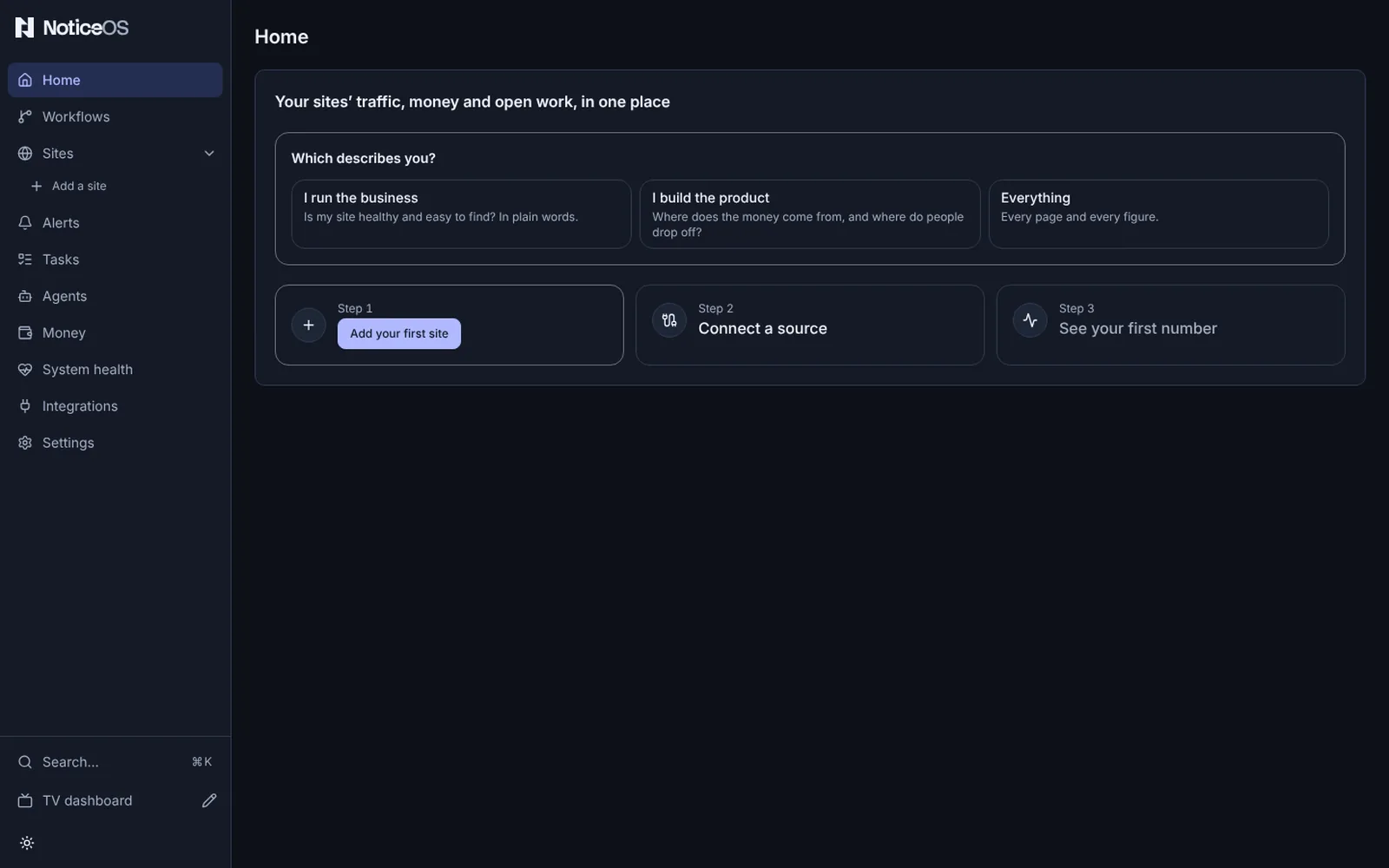
Under Which describes you?, press a view. It is saved at once and the sidebar changes.
What matters most? replaces the question in the same box, with five picks. Press any number of them:
Pick The line under it Part of Home it moves to the top Money this month, and where it comes from Money Visitors how many, and how they found you Sites Site health up, fast, error-free, well built Site health The agents' work what they built, and whether it worked The agents · this week Costs what running it all costs Money Press Continue to save the picks in the order you pressed them, or Skip to save none.
Choosing Everything closes the box without the second question. A pick whose part the view does not show changes nothing: Visitors moves Sites, which I run the business does not show.
The site steps work before you answer: you can add a site first, and until you answer, the pages use the workspace default view. On a new installation, the first answer also becomes the workspace default when none is saved yet and settings can be saved.
Change it later
In Settings. Open Settings > General. Your view is the first panel.
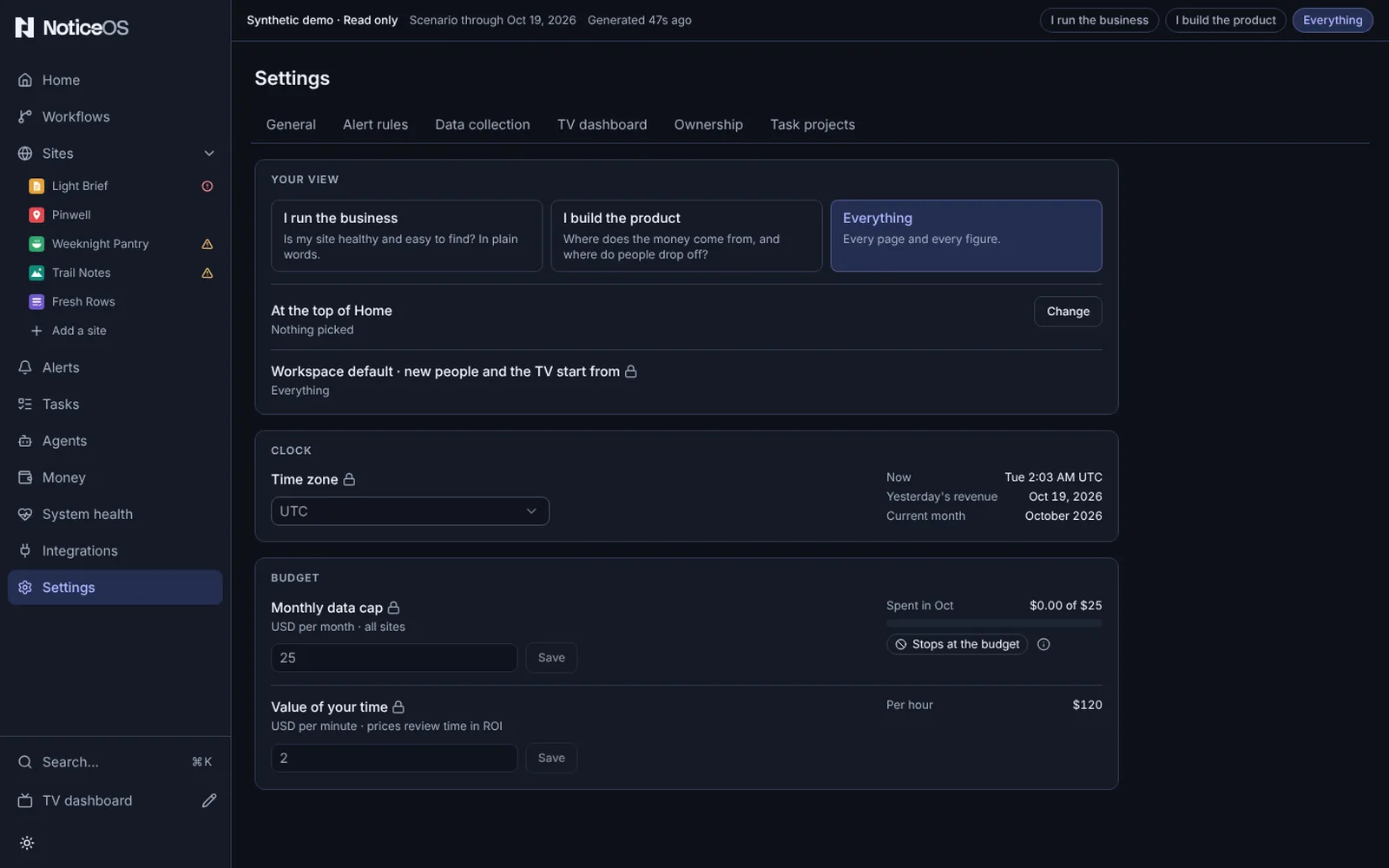
- Press a view. It is saved at once, with Saved · Undo beside the choices.
- To change your picks, select Change beside At the top of Home, press the picks to add or remove, then Done.
In Search. Press ⌘K or select Search… in the sidebar. Under Views, a Switch to · I run the business, Switch to · I build the product or Switch to · Everything row is listed for each view other than yours. Select one to switch; your picks are kept.
Where the choice is kept
- A hosted workspace keeps each person's view for that person, so it is the same on every device they sign in on.
- A standalone installation keeps the view in this browser. Another browser, or another person, starts from the workspace default.
- The workspace default, under Workspace default · new people and the TV start from in Settings > General, is the view a person sees before choosing one and the view whose preset the TV shows while no layout is saved. Change beside it shows the three views. It is stored in
config/tower.jsonat/view, and shows a lock when settings cannot be saved.
Pages a view leaves out
A page your view leaves out of the sidebar still opens. Search (⌘K) lists every page in every view, and a link to a page or a tab opens it whatever the view.
Verify
- The sidebar lists the pages in the view's row of the sidebar table.
- Home shows the view's parts in the view's order, with your picks first.
- Settings > General > Your view shows the view you chose as selected.
If it didn't work
- The first-run box is not on Home: a view is already chosen in this browser or for your account, or the first site already has its first number. Change the view in Settings.
- The TV did not change: a saved TV layout replaces the preset. Start the layout from the preset at
/wall/edit. - A pick did not move a part: the view does not show that part.